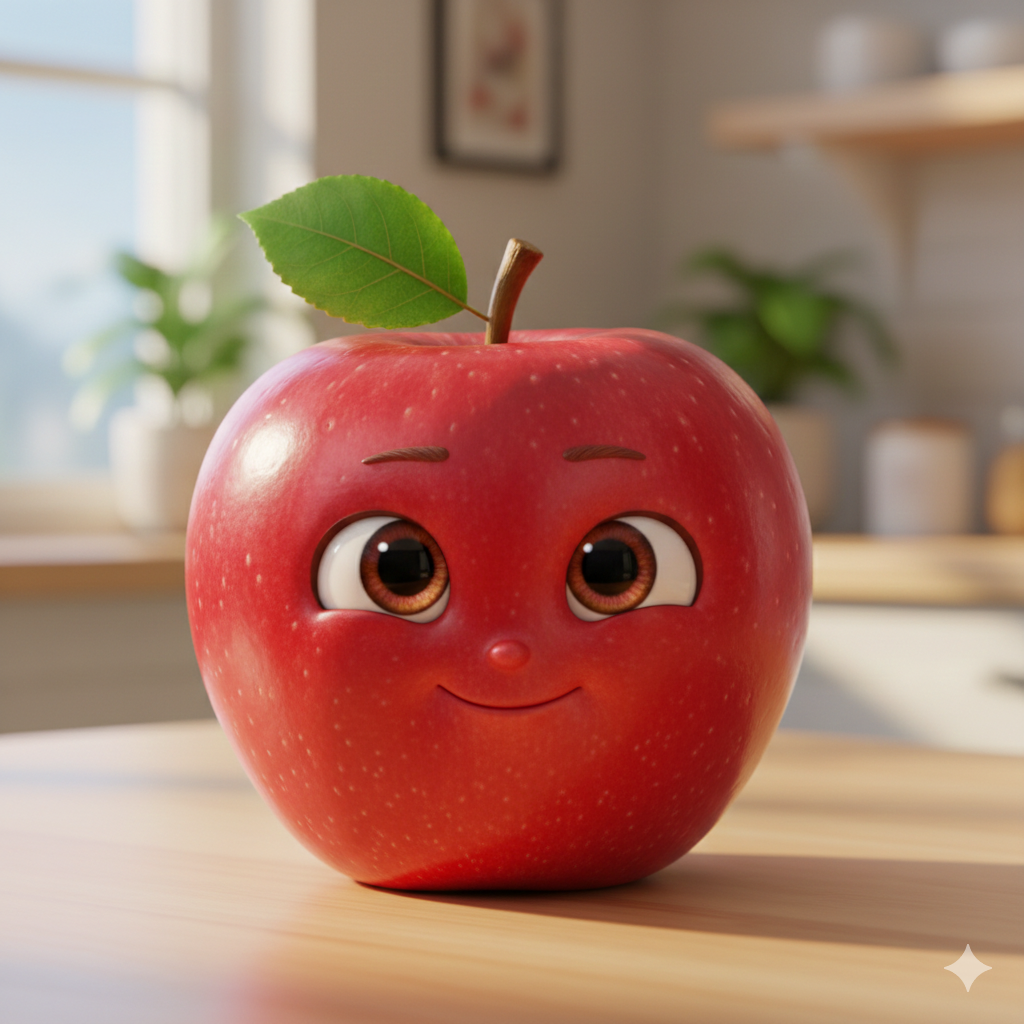
सोशल मीडिया की दुनिया में हर दिन कुछ नया वायरल होता है, और आजकल Object Talking AI Videos का जबरदस्त ट्रेंड चल रहा है। आपने भी इंस्टाग्राम रील्स (Instagram Reels) पर ऐसे वीडियो देखे होंगे जहाँ कोई फल, कॉफी का कप, या मोबाइल फोन इंसानों की तरह बात करता है।
इस तरह के वीडियो न केवल मजेदार (Funny) होते हैं, बल्कि इनका इंगेजमेंट (Engagement) रेट भी बहुत अधिक होता है। आज के इस आर्टिकल में हम आपको सिखाएंगे कि कैसे आप भी कुछ आसान Prompts और AI टूल्स का उपयोग करके ऐसे वीडियो बना सकते हैं।
Object Talking वीडियो के लिए सबसे बेहतरीन AI Prompts
एक बेहतरीन वीडियो की शुरुआत एक अच्छी इमेज (Image) से होती है। इन Prompts का उपयोग करके आप शानदार कैरेक्टर (Character) तैयार कर सकते हैं:
1. द फनी मैंगो (The Funny Mango)
Prompts: A 3D cute yellow mango character with big expressive human-like eyes and a wide smiling mouth. Pixar-style 3D animation, vibrant colors, soft cinematic lighting, 8k resolution.
2. द एंग्री कॉफी कप (The Angry Coffee Cup)
Prompts: A realistic ceramic coffee cup with a grumpy human face, steam coming out, looking directly at the camera. Highly detailed porcelain texture, studio lighting, photorealistic.
DIRECT SPONSORSHIPPlace Your Ad on aipromptviral.com
Directly chat with us to book this space and grow your brand visibility.
 Chat on WhatsApp
3. द टॉकिंग स्मार्टफोन (The Talking Smartphone)
Prompts: A sleek 3D smartphone character with a friendly human face on the screen. Neon glow background, cinematic depth of field, sharp focus, 8k resolution.
स्टेप-बाय-स्टेप गाइड: वीडियो कैसे तैयार करें?
Step 1: इमेज जनरेट करें (Image Generation) सबसे पहले ऊपर दिए गए Prompts को Bing Image Creator या Midjourney में पेस्ट करें और अपना पसंदीदा कैरेक्टर डाउनलोड करें।
Step 2: वॉइसओवर तैयार करें (Voiceover) अपने वीडियो के लिए एक मजेदार स्क्रिप्ट लिखें। आप अपनी खुद की आवाज़ रिकॉर्ड कर सकते हैं या ElevenLabs जैसे AI टूल का उपयोग करके प्रोफेशनल वॉइसओवर (Voiceover) बना सकते हैं।
Step 3: एनीमेशन और लिप-सिंक (Lip-Sync Animation) अब अपनी इमेज और ऑडियो को HeyGen, D-ID या Kling AI जैसी वेबसाइट पर अपलोड करें। यह टूल्स इमेज के होंठों को आपकी आवाज़ के साथ पूरी तरह मिला (Sync) देंगे।
Step 4: एडिटिंग (Final Editing) अंत में, वीडियो को और आकर्षक बनाने के लिए CapCut या VN Editor का उपयोग करें। इसमें सबटाइटल्स (Subtitles) और बैकग्राउंड म्यूजिक जोड़ें।
Place Your Ad on aipromptviral.com
Directly chat with us to book this space and grow your brand visibility.
Object Talking AI Video Tutorial: Turn Any Object into a Viral Star
आजकल सोशल मीडिया पर बेजान चीजों (Inanimate Objects) को बोलता हुआ दिखाने का ट्रेंड बहुत वायरल हो रहा है। इसे बनाने के लिए आपको दो चरणों की आवश्यकता होती है: पहला, एक शानदार इमेज बनाना और दूसरा, उस इमेज को वीडियो में बदलना।
यहाँ हम आपको सबसे बेहतरीन Prompts दे रहे हैं जो आपके कंटेंट को वायरल कर देंगे।
Step 1: Create the Character (Image Prompts)
सबसे पहले आपको एक High-Quality इमेज जनरेट करनी होगी। इन Prompts को Bing Image Creator या Midjourney में इस्तेमाल करें:
Example: The Grumpy Coffee Mug
Image Prompts: A hyper-realistic 3D ceramic coffee mug with a grumpy human face, big expressive eyes, and a small mouth. The mug is sitting on a cozy wooden desk with soft steam rising. Cinematic lighting, bokeh background, 8k resolution, photorealistic textures.
Example: The Cute Talking Apple
Image Prompts: A 3D cute red apple character with large innocent eyes and a tiny smiling mouth. Pixar-style animation, vibrant colors, soft studio lighting, solid blue background, high detail.
DIRECT SPONSORSHIPPlace Your Ad on aipromptviral.com
Directly chat with us to book this space and grow your brand visibility.
Step 2: Animate the Object (Video Prompts)
एक बार इमेज तैयार हो जाने के बाद, उसे Luma Dream Machine, Kling AI, या Runway Gen-2 जैसे टूल्स में अपलोड करें और इन Prompts का उपयोग करके उसे एनिमेट करें:
Animation for Coffee Mug
Video Prompts: The coffee mug starts talking with grumpy facial expressions. Its mouth moves in sync with a deep voice, it blinks its eyes, and the steam above it moves realistically. The camera slowly zooms into the face.
Animation for Apple
Video Prompts: The apple character giggles and talks cheerfully. Its eyes sparkle, its body bounces slightly, and it winks at the camera. Smooth 3D animation movements.
How to Combine Both (Quick Guide)
- Generate Image: ऊपर दिए गए Image Prompts का उपयोग करके अपना पसंदीदा कैरेक्टर बनाएं।
- Voiceover: अपनी आवाज़ रिकॉर्ड करें या ElevenLabs से AI वॉइस जनरेट करें।
- Video Animation: अपनी इमेज को AI वीडियो टूल में डालें और Video Prompts लिखकर उसे आवाज़ के साथ लिप-सिंक (Lip-Sync) करें।
- Edit: अंत में CapCut का उपयोग करके म्यूजिक और सबटाइटल्स जोड़ें।
Special Edition: Talking Furniture AI Trend
Furniture को बोलता हुआ दिखाना बहुत ही Creative और Funny लगता है। यहाँ “Talking Sofa” और “Angry Alarm Clock” के लिए खास Prompts दिए गए हैं:
1. The Lazy Old Sofa (आलसी सोफा)
यह कैरेक्टर उन वीडियोस के लिए बेस्ट है जहाँ सोफा थक गया है कि उस पर लोग सारा दिन बैठे रहते हैं।
Place Your Ad on aipromptviral.com
Directly chat with us to book this space and grow your brand visibility.
- Image Prompts: > A 3D character of an old, comfortable velvet sofa with a tired human face built into the cushions. It has large sleepy eyes and a wide mouth. Warm living room background, cinematic lighting, 8k resolution, highly detailed fabric texture.
- Video Prompts: > The sofa yawns and starts talking in a deep, tired voice. Its cushions move like facial muscles, its eyes droop, and it shifts slightly as if trying to get comfortable.
2. The Angry Alarm Clock (गुस्सैल अलार्म घड़ी)
सुबह उठने वाले फनी मीम्स (Memes) के लिए यह कैरेक्टर जबरदस्त रहेगा।
- Image Prompts: > A hyper-realistic vintage twin-bell alarm clock with a very angry human face. Its metallic surface is shiny, and its “arms” (the clock hands) are pointing aggressively. 3D render, sharp focus, dynamic lighting, 8k.
- Video Prompts: > The alarm clock starts shouting and vibrating violently. Its bells shake, its mouth moves rapidly in a screaming motion, and its eyes turn red with anger.
3. The Gossiping Royal Chair (गपशप करने वाली कुर्सी)
अगर आप कोई स्टोरी-टेलिंग वीडियो बना रहे हैं, तो यह रॉयल कुर्सी बहुत काम आएगी।
- Image Prompts: > An elegant golden royal throne with a sophisticated female human face on the backrest. It has sparkling eyes and red lips. Luxury palace background, soft glow, 8k resolution, realistic wood and gold textures.
- Video Prompts: > The royal chair whispers and giggles as if sharing a secret. Its lips move elegantly, it winks at the camera, and the golden ornaments on it shine as it moves.