✨ Luxury Skincare Campaign Generator
This guide explains how to use the Ad Prompt Generator tool to create highly detailed, professional AI image prompts for your business, specifically for food and skincare marketing.
1. Choose Your Campaign Type
Depending on which version of the tool you are using (Food or Skincare), the inputs will customize the resulting prompt.
2. Enter Business & Product Details
Fill in the specific information about your business. Accuracy here ensures the generated prompt aligns perfectly with your marketing goals.
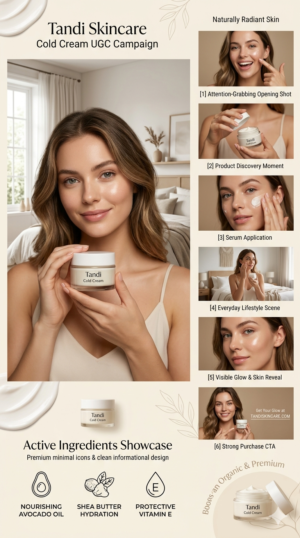
- Brand Name: Type the exact name of your business (e.g., Tandi Skincare, Tandi Bites).
- Product Name: For skincare, specify the product (e.g., Cold Cream).
- Target Audience/Vibe (Skincare Only): Describe the visual aesthetic you want (e.g., Organic, Minimalist, Anti-Aging).
3. Enter Contact Information (Optional – Food Tool)
This information is integrated into the prompt to provide context for comprehensive marketing campaigns.
- Address: Your physical location (e.g., Gurera, Bhiwani).
- Mobile Number: Your contact number.
4. Generate the Prompt
Once all fields are filled, click the 🚀 Generate Cinematic Prompts button. The tool instantly combines your inputs into a structured, high-resolution prompt.
5. Review the Generated Prompt
The output in the console area will detail the visual composition, lighting, style, and branding specific to your input.
- Core Idea: The overall theme.
- Aesthetic/Style: The specific look and technical render settings.
- Composition: How the model, product, and background are arranged.
- Post-Processing: Details about clarity and color balance.
6. Use the Prompt
Click the 📋 Copy to Clipboard button to instantly copy the entire prompt.
Paste this prompt into your preferred AI image generation tool (like Midjourney or DALL-E) to create stunning visuals for your marketing campaigns.
Place Your Ad on aipromptviral.com
Directly chat with us to book this space and grow your brand visibility.
 Chat on WhatsApp